
How to make Debit Entry?
iSocietyManager has the functionality to make Debit Entry. Let us see how to make credit entry using the following process :-
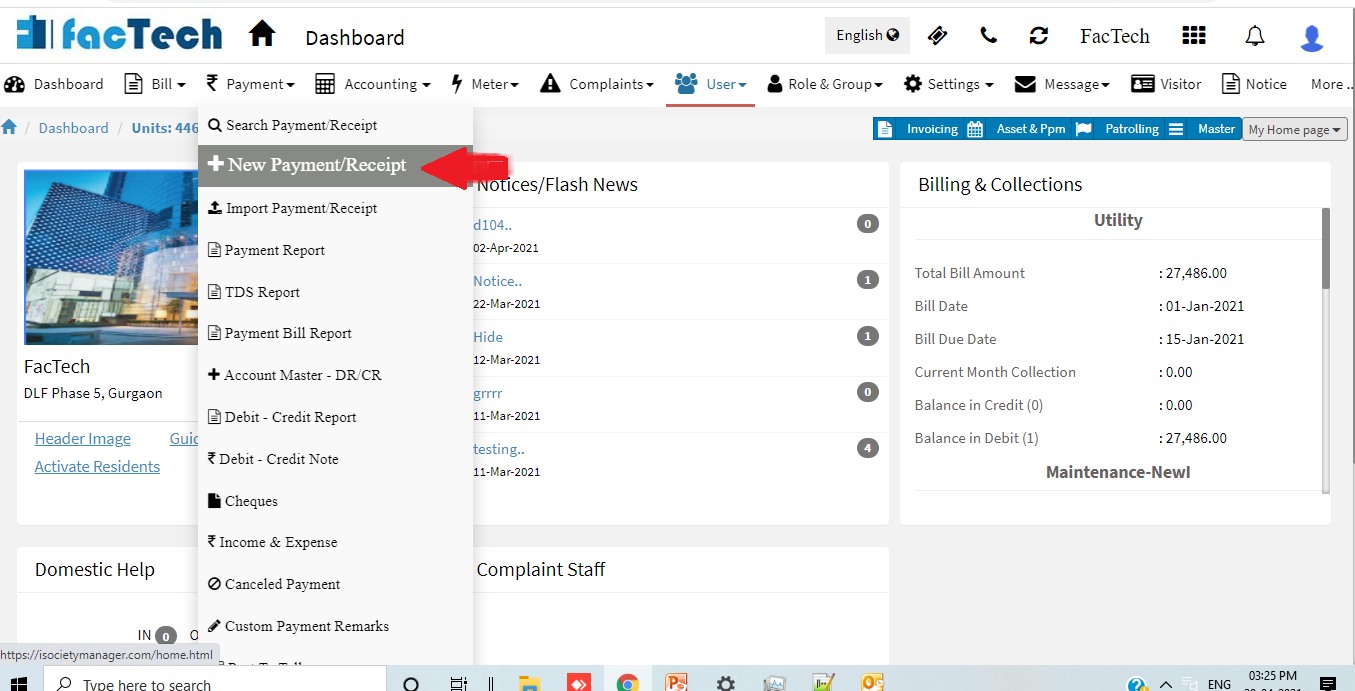
- Go to Payment Menu then click on + New Payment/Receipt.
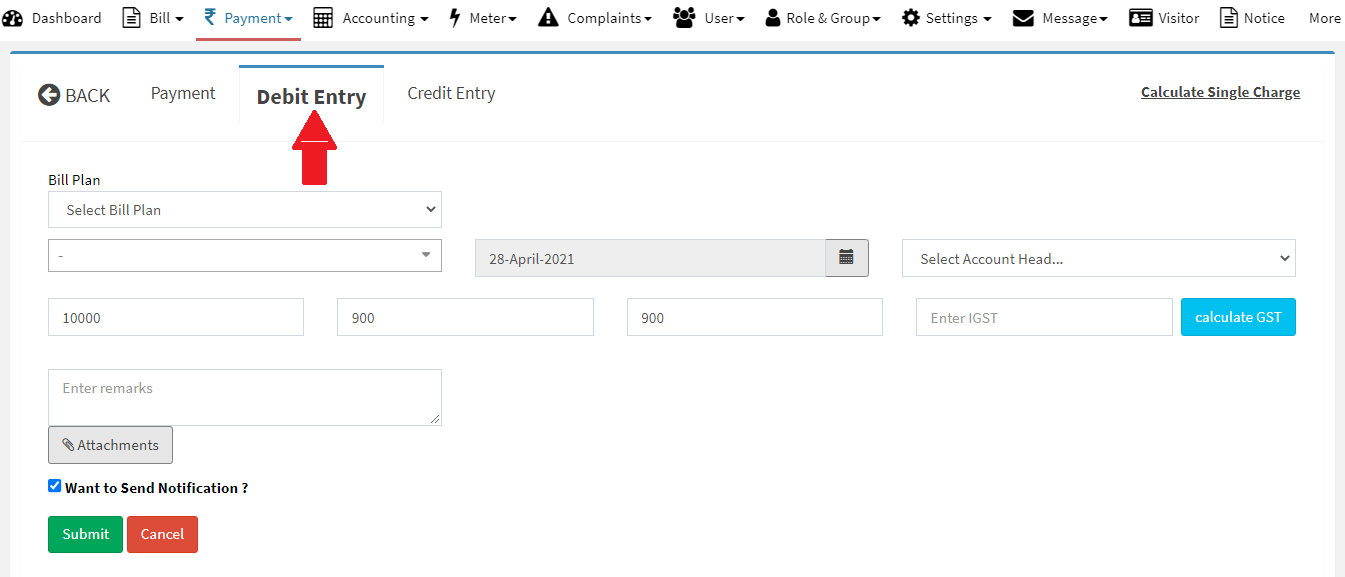
- Now click on Debit Entry tab.
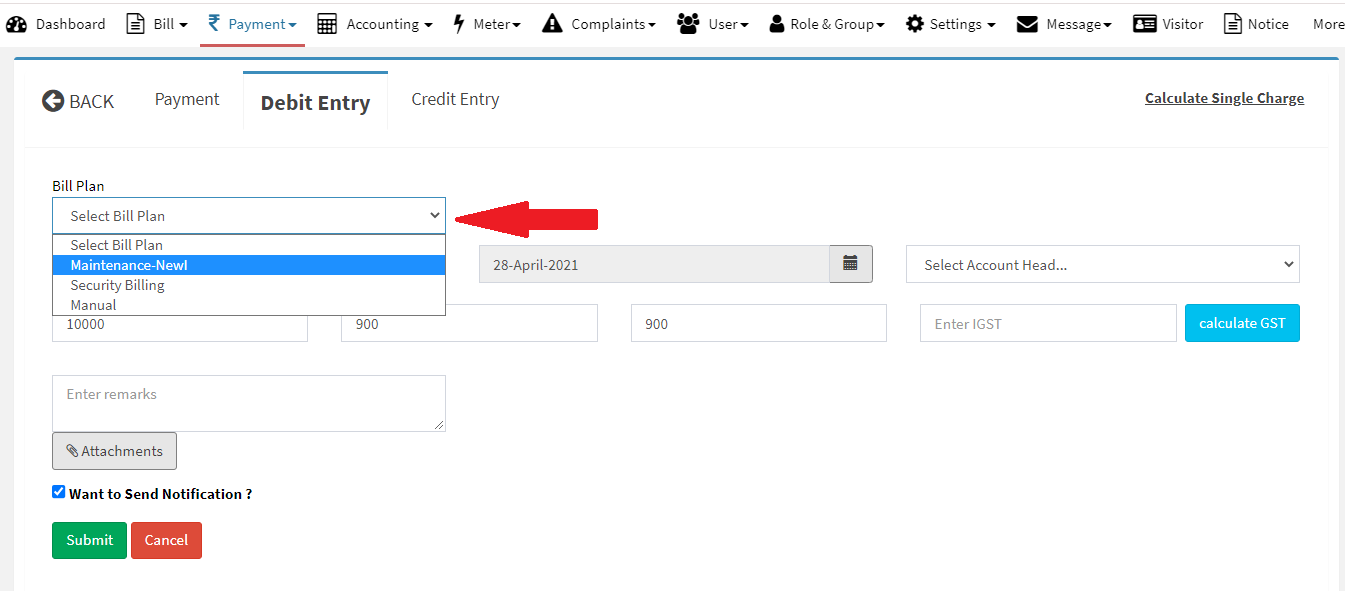
- Now Select the Bill Plan for which you want to make Debit entry.
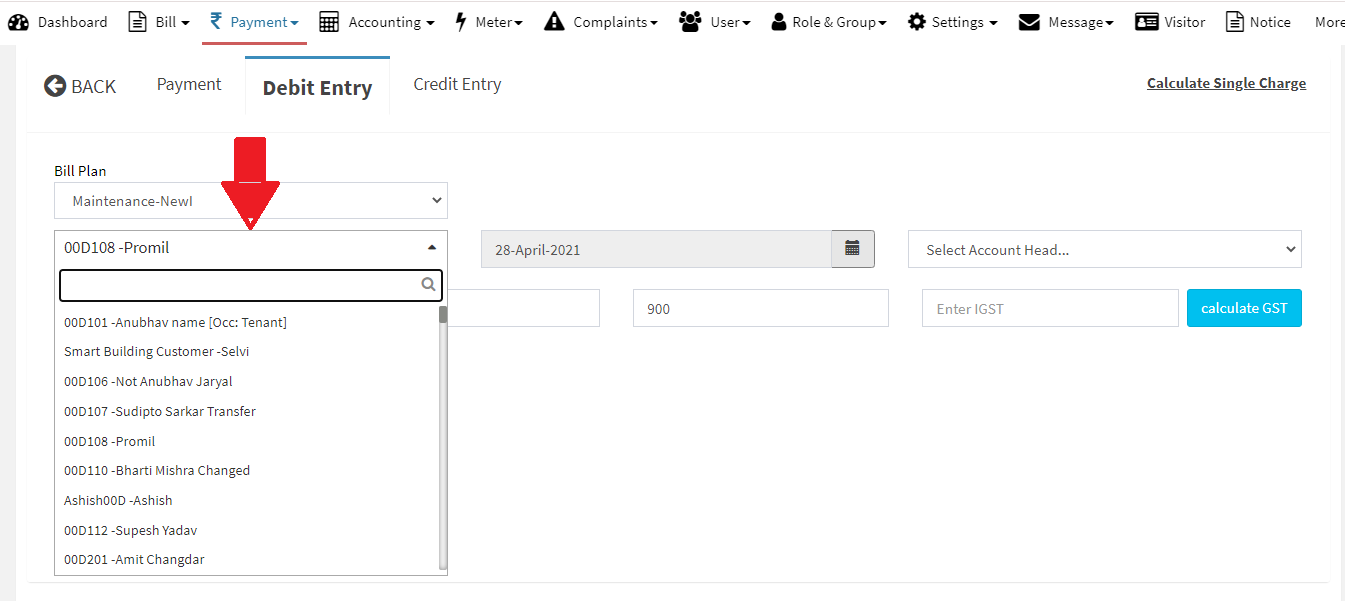
- Now Enter the Unit No for which you want to make Debit Entry.
- Now Select the Date for the Debit entry. Note* Present Date is selected as system default.
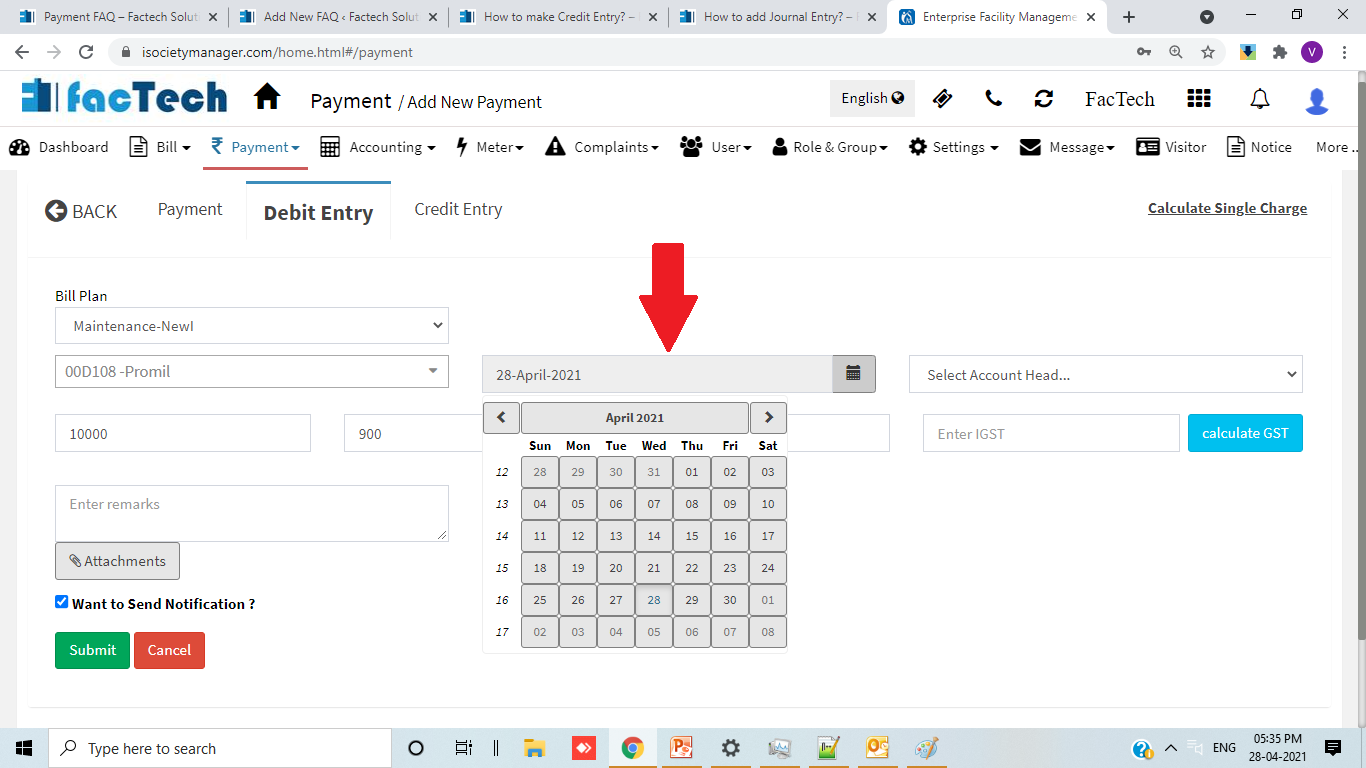
- Now enter Debit Amount which is to be made in the given numeric box.
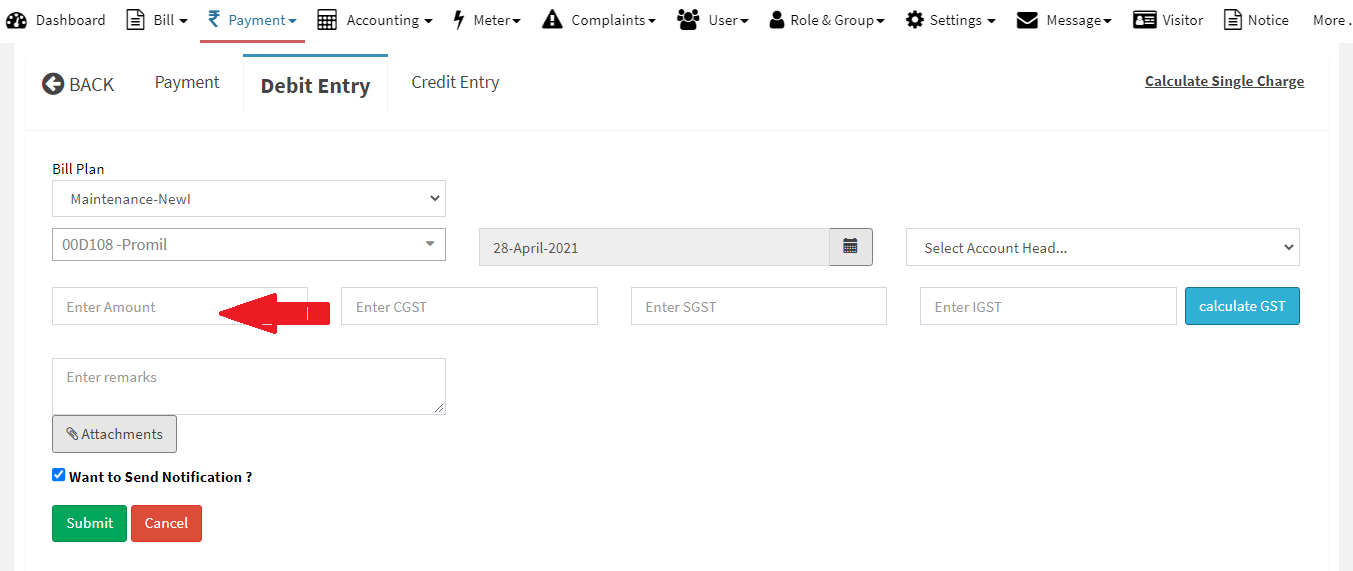
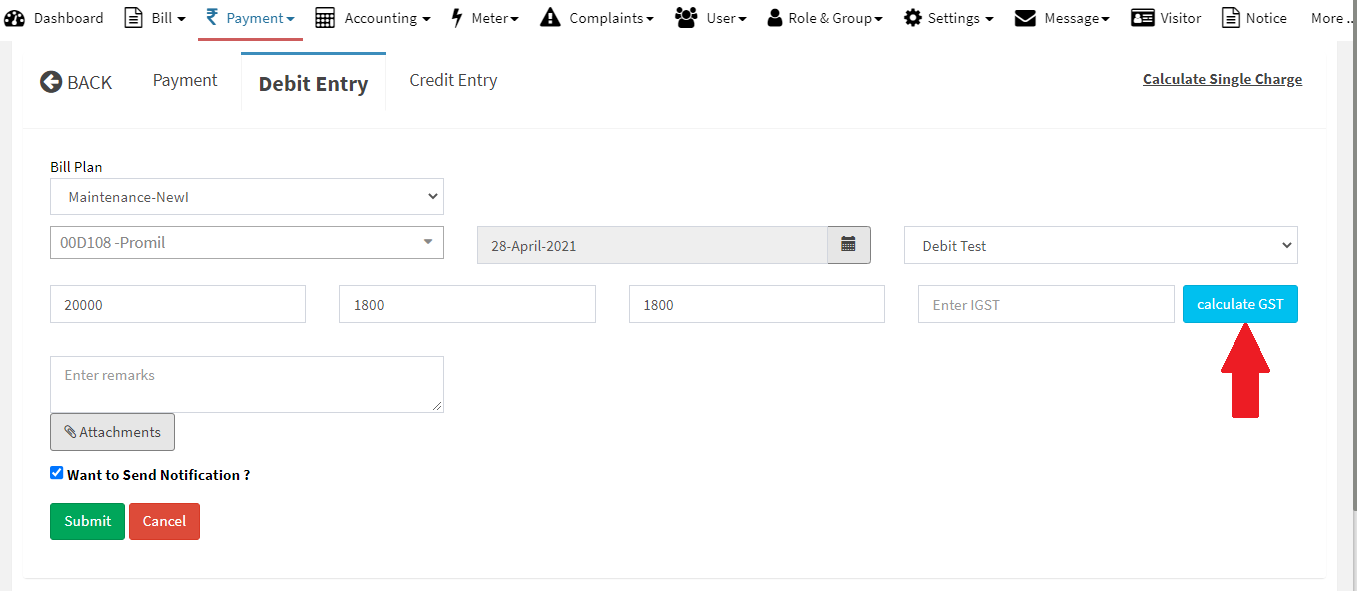
- You can also calculate the GST applicable on the Debit Amount by clicking on Calculate GST button.
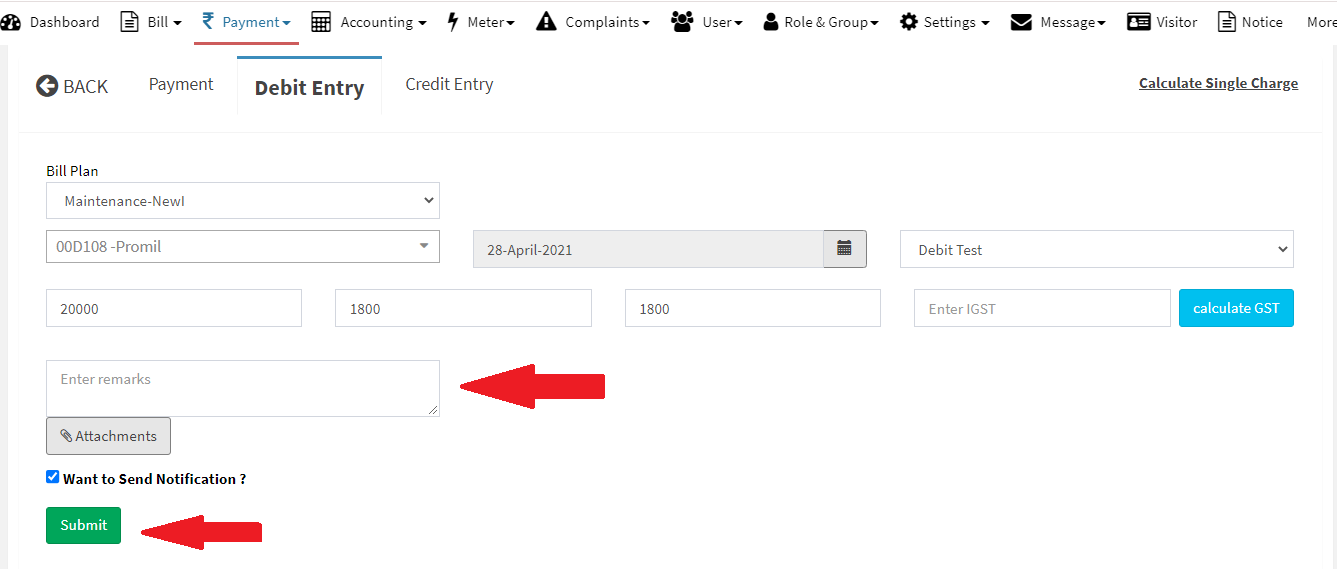
- Once the GST is calculated as per you requirement then you can put Remarks as per your choice and click on Submit button.
Ready to Transform Your Facility Management?
See how Factech automates maintenance, assets, and compliance in one intelligent platform.
Let's Talk
Have questions about our AI-powered solutions? Our team is here to help you digitize your facility operations.
Ready to Transform Your Facility Management?
See how Factech automates maintenance, assets, and compliance in one intelligent platform.
Let's Talk
Have questions about our AI-powered solutions? Our team is here to help you digitize your facility operations.


Leave a Comment