
How to block a visitor in the visitor management system
If we need to restrict or block a visitor from the premises, we can do so by following these steps:

Step 1: Login to the FacTech>> Visitor >> Click on the ‘Menu’ & choose ‘All Visitors’
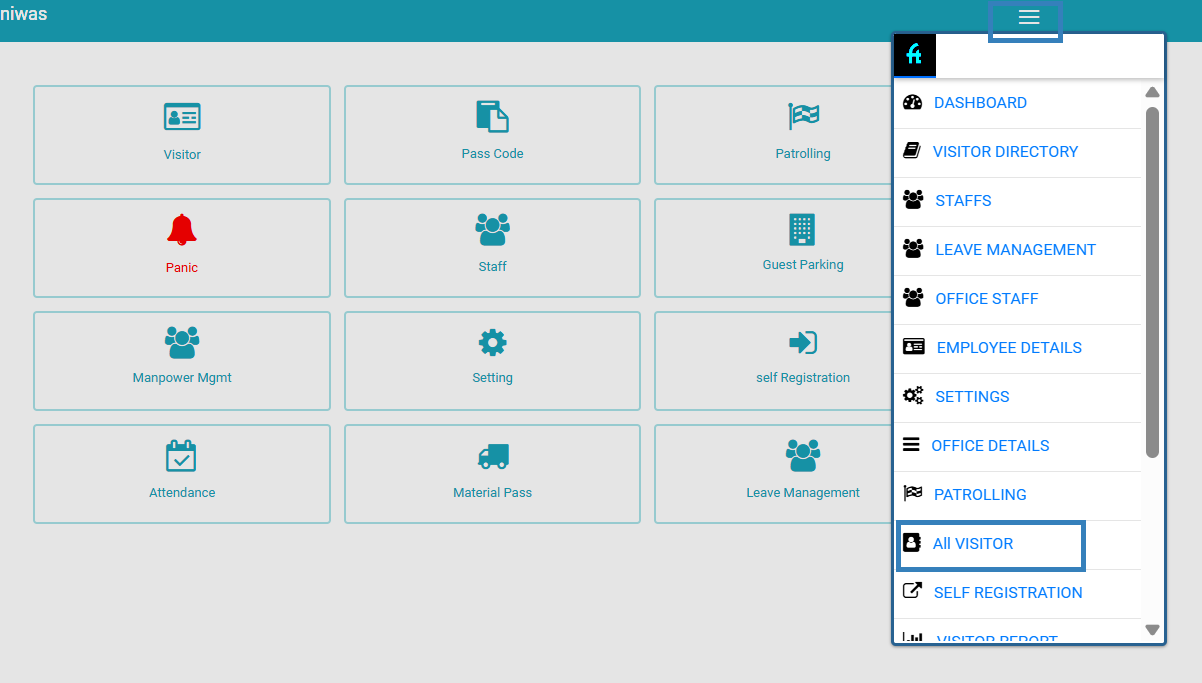
Step 2: On the ‘All Visitors’ page, search for a specific visitor by their name or mobile number.

Click on “More” located on the same page.

Step 3: Now you can see the ‘Block’ option. Click the ‘Block’ button to block the visitor wroest
Step 4: Clicking the ‘Block’ button will bring up a ‘Warning’ window, where we need to confirm and provide a reason for blocking that visitor.
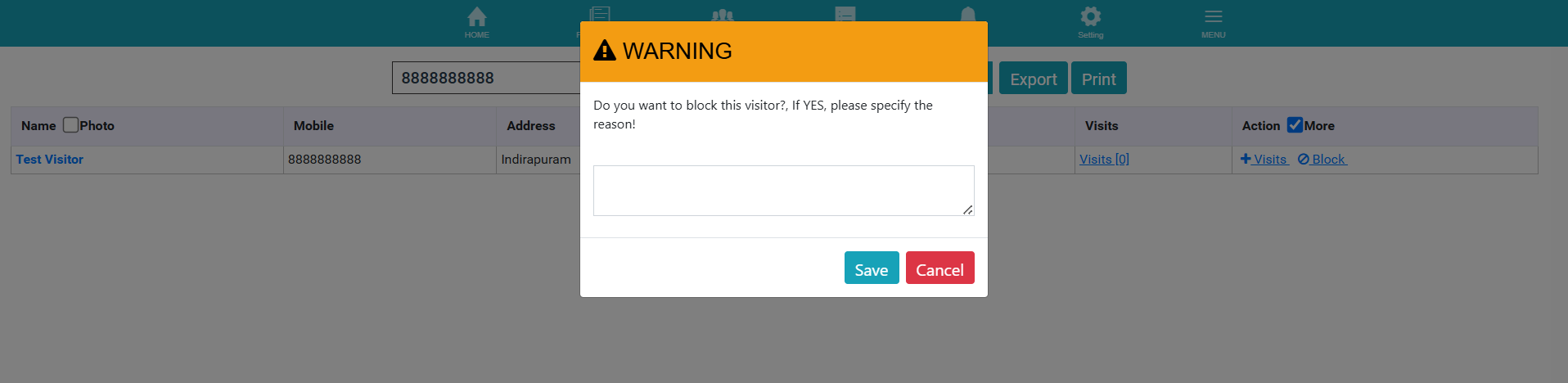
Once we enter the reason for blocking and click the save button, the visitor will be blocked.
Thank You!!
Ready to Transform Your Facility Management?
See how Factech automates maintenance, assets, and compliance in one intelligent platform.
Let's Talk
Have questions about our AI-powered solutions? Our team is here to help you digitize your facility operations.
Ready to Transform Your Facility Management?
See how Factech automates maintenance, assets, and compliance in one intelligent platform.
Let's Talk
Have questions about our AI-powered solutions? Our team is here to help you digitize your facility operations.


