How to get data in DG usage dashboard?
Refer https://factech.ai/blog/ufaqs/how-to-populate-asset-performance-charts-in-real-time/ How to Use Asset Tracking Field feature in Factech Automation? Thank You!!
 Simplifying Facilities...
Refer https://factech.ai/blog/ufaqs/how-to-populate-asset-performance-charts-in-real-time/ How to Use Asset Tracking Field feature in Factech Automation? Thank You!!
What is Schedule? The purpose of the Schedule is to add the frequency, instruction for a particular work order and map the same to respective asset. By doing this we got alerts for a due schedule in advance. We can add checklist instructions, assign responsible staff. For example, If we create Schedule for an Asset

Kaizen system is used to simplify and automate Facility Operations for Hard FM or Engineering Services Soft FM including housekeeping services Kaizen reports can be categorized in below: Work Order / Maintenance Jobs Report Dashboard Components – To get insight and Status Reports Reports or MIS based on filters. A.Work Order / Job Reports detail
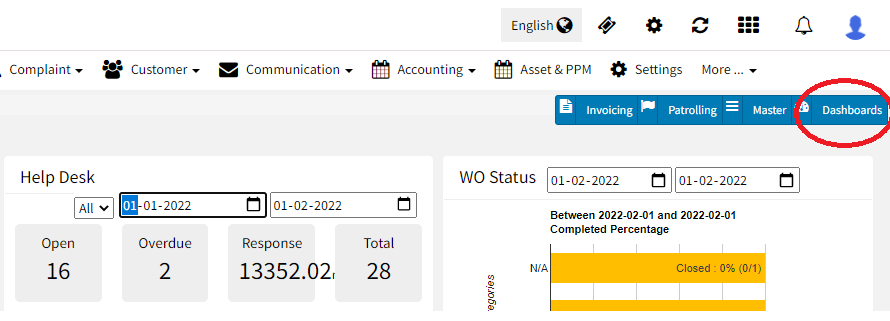
You can customize the main dashboard as per your role and requirement. This helps you to Take Better Decisions based on Insights that are Important to You on your Home Page. Click on Dashboards button on the top right of your home page UI will display a list of public dashboards available for your site.