FAQ Category: Asset Management

How to add asset manually in Kaizen?

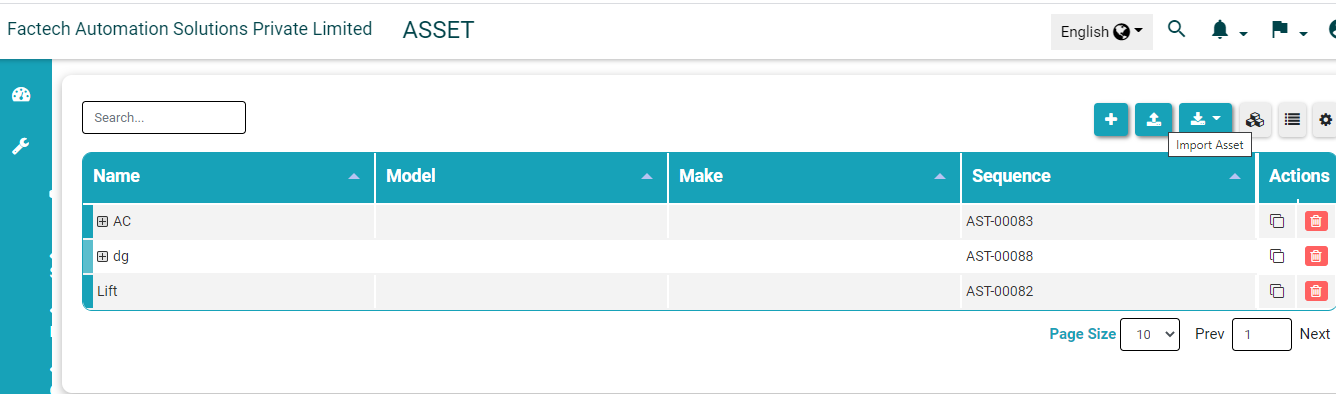
Asset is an item of property owned by a person or company, regarded as having value.In Kaizen we can add asset by following the given steps :- Click on Maintenance menu present at left side menu then click on Asset from drop down. Now click on + Menu to add asset manually. Once you clicked

Read more

What are different checklist for Preventive Maintenance?

Refer below link to download the excel containing different check list for Planned Maintenance of different Asset. Download PPM Checklist How to add all instructions of a Work Order or Job in one step Preventive Maintenance Checklist The checklist include below assets: DG Sync Panel LT Panel Air Circuit Breaker Lift Panel HVAC Panel DG

Read more

asset and planned preventive maintenance menu

How to add custom field value in the asset?

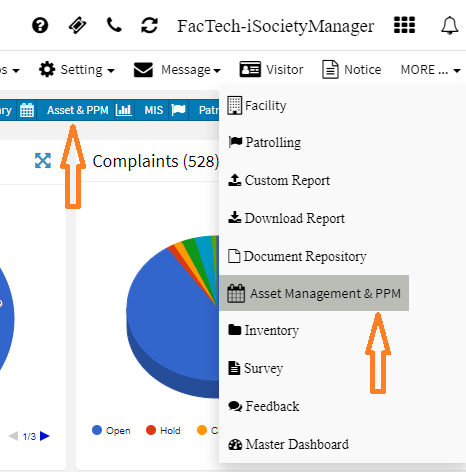
To add or change custom field properties of the asset: Go to Dashboard -> Asset & PPM or More -> Asset & PPM Asset Management Dashboard with all menu options on the left side will be displayed. Click on Asset Icon to go to Asset UI.   On click of Asset, you will see the

Read more

Hello ! If You Are Ready To Take Your Facility Management To Next Level...