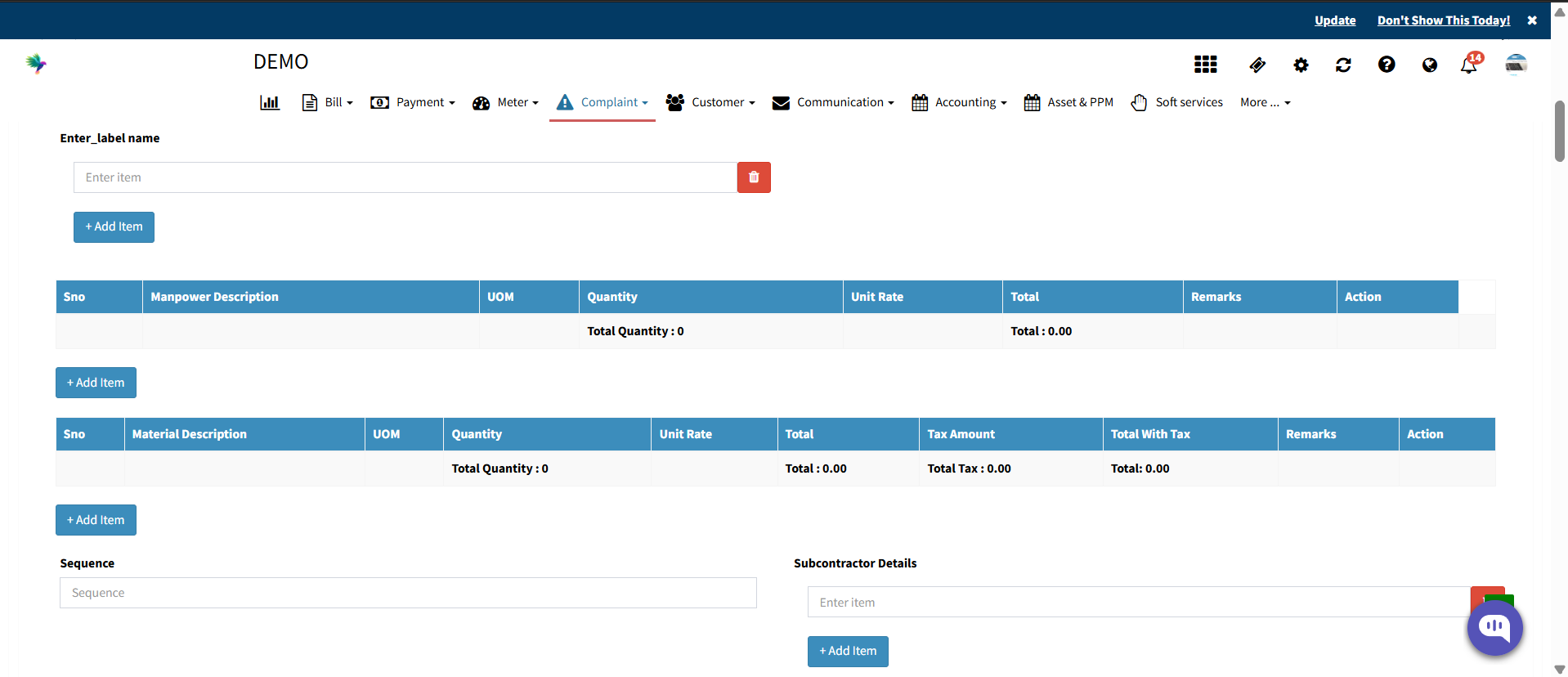
How to Add Job Card Custom Fields?
Factech Automation allow users to add Job Card Custom fields to a job card based on their specific operational requirements. These fields help capture extra information.
Follow the steps below to add Job card custom fileds:
Log in to the Factech application. (Users with appropriate admin or configuration access can add and manage Job Card Custom Fields.)
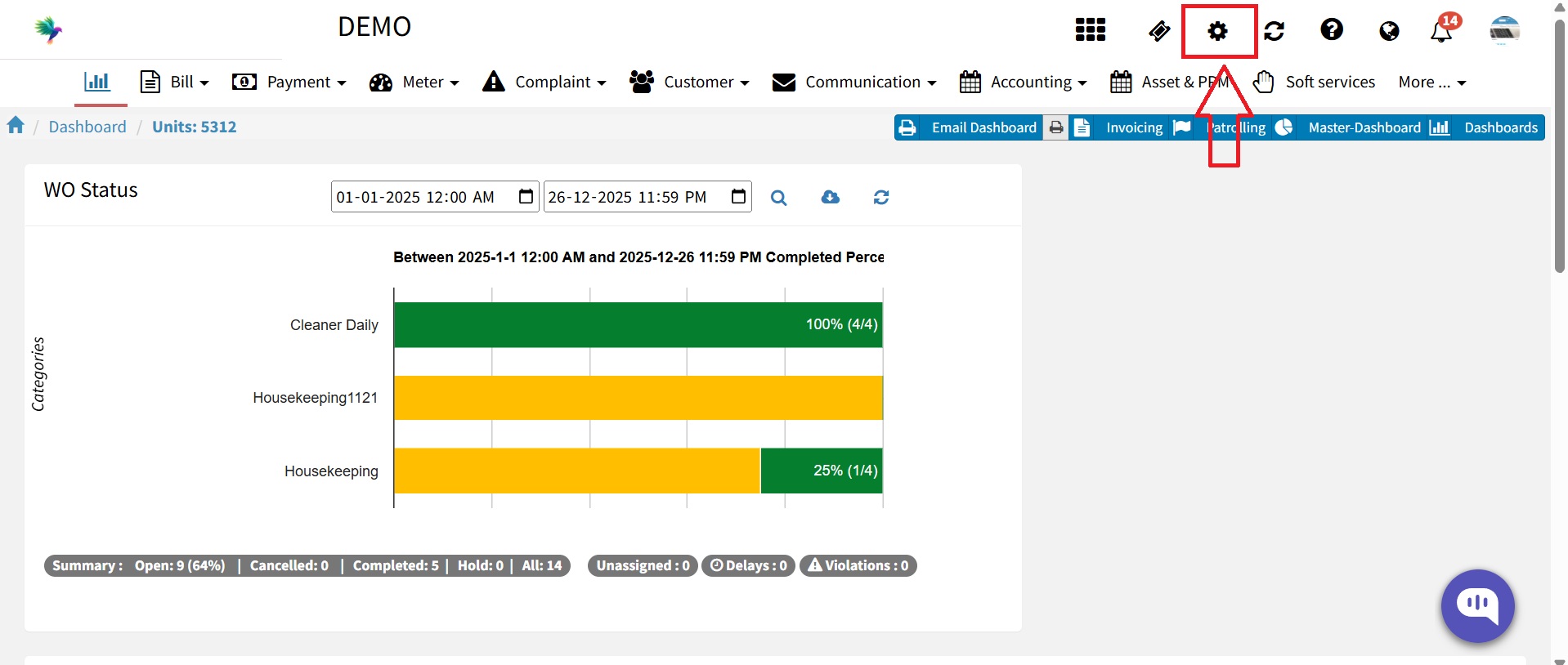
Click on the Settings icon.

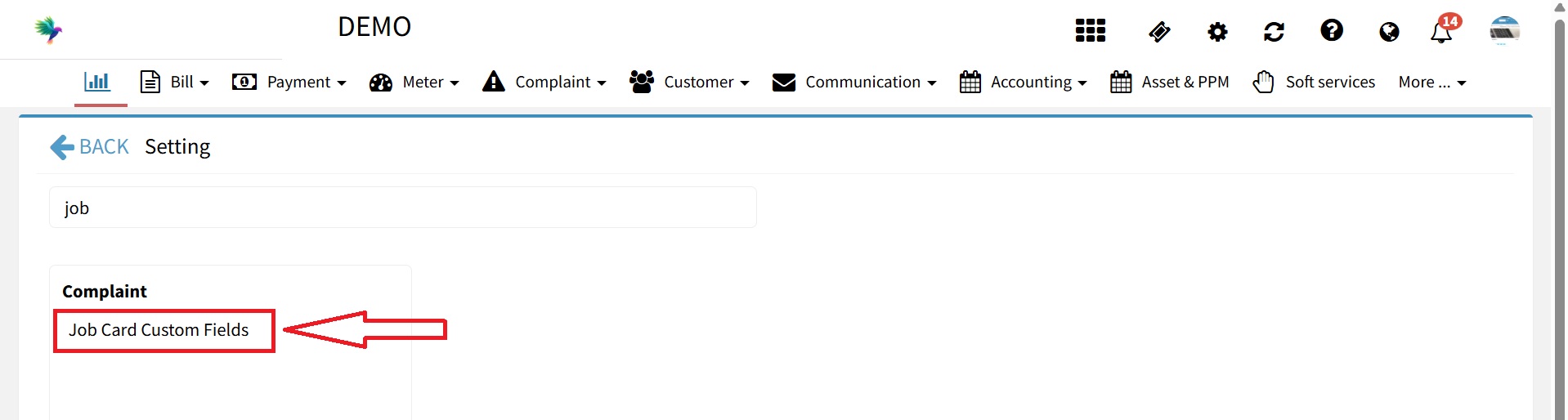
In the search bar, type “Job Card Custom Field”. Open Job Card Custom Fields from the search results.

From the right panel, drag and drop the required field type to the left panel.
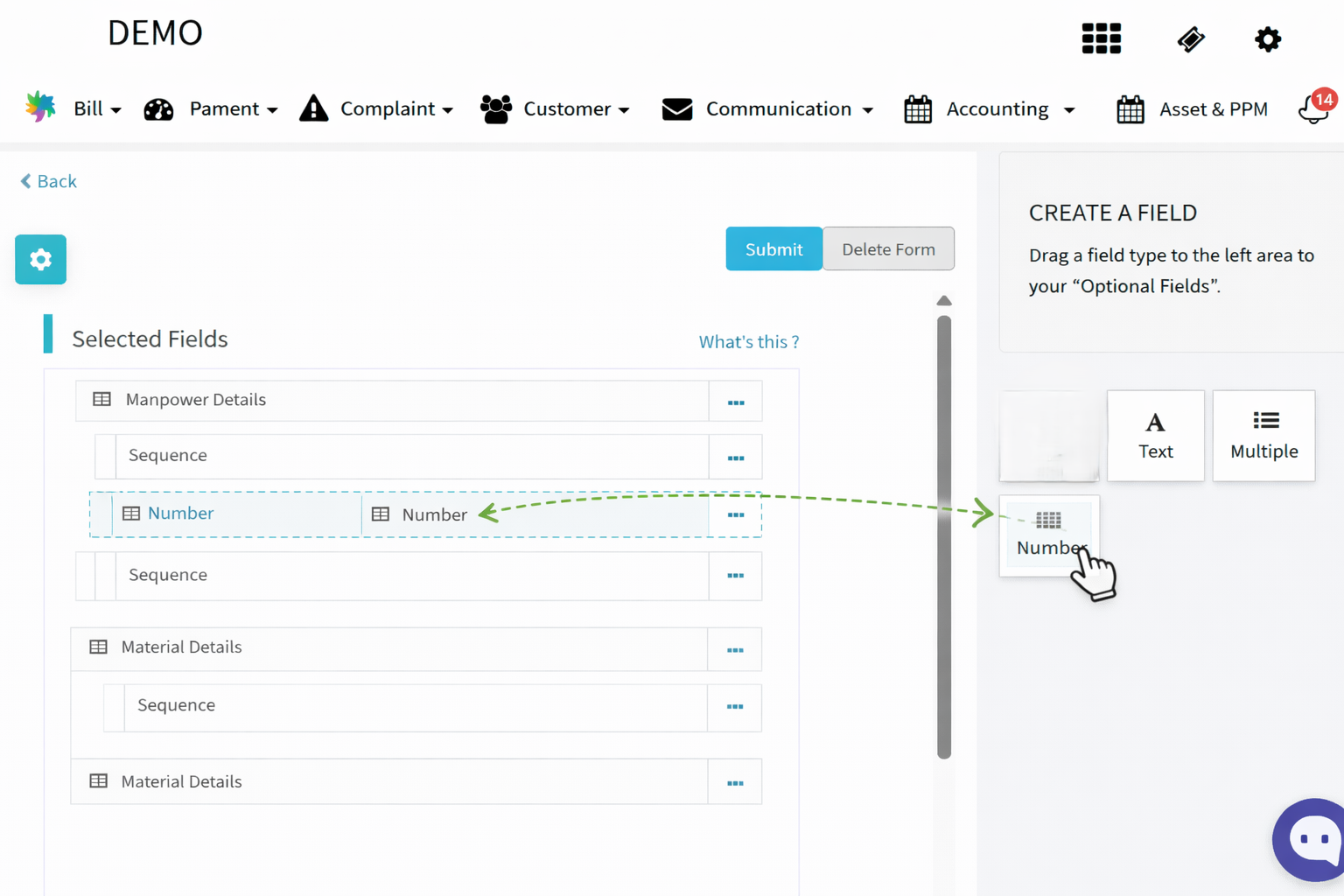

Configure the field as needed:
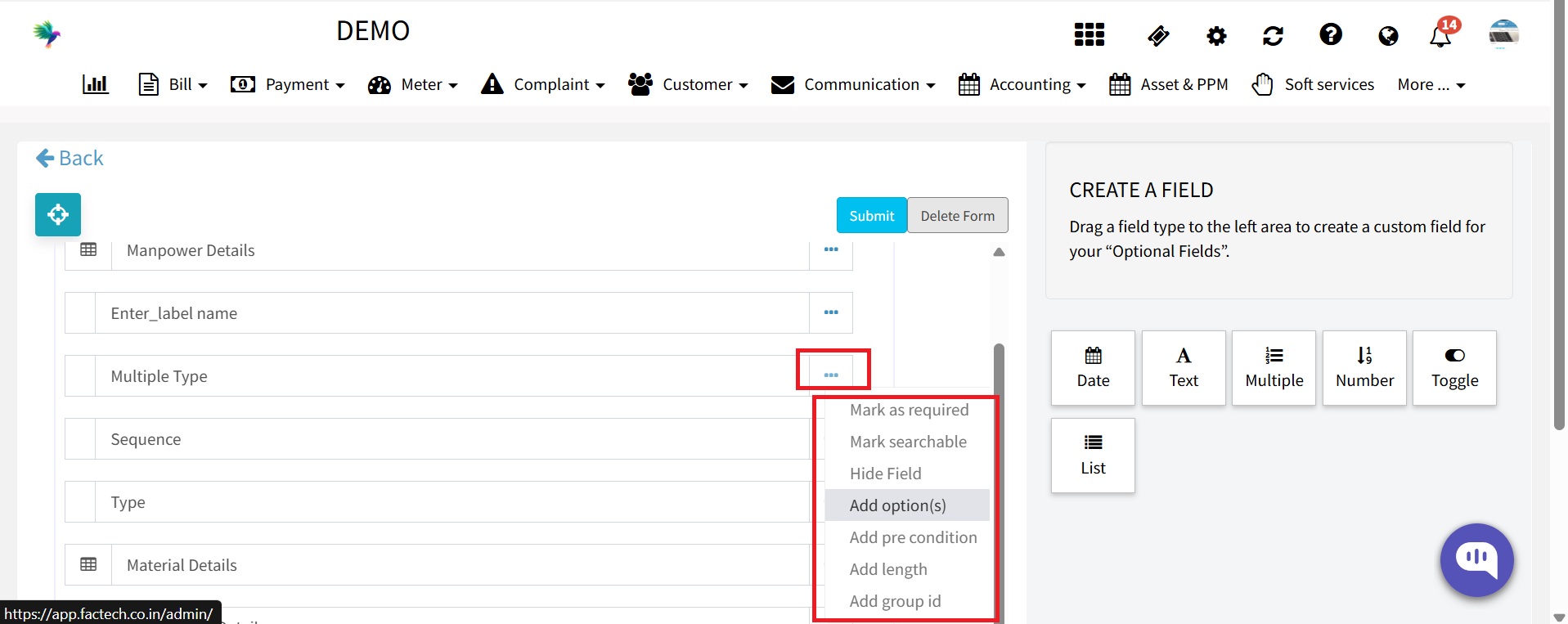
Add multiple choice options (Add Options), Mark the field as Mandatory, Hide the field if required

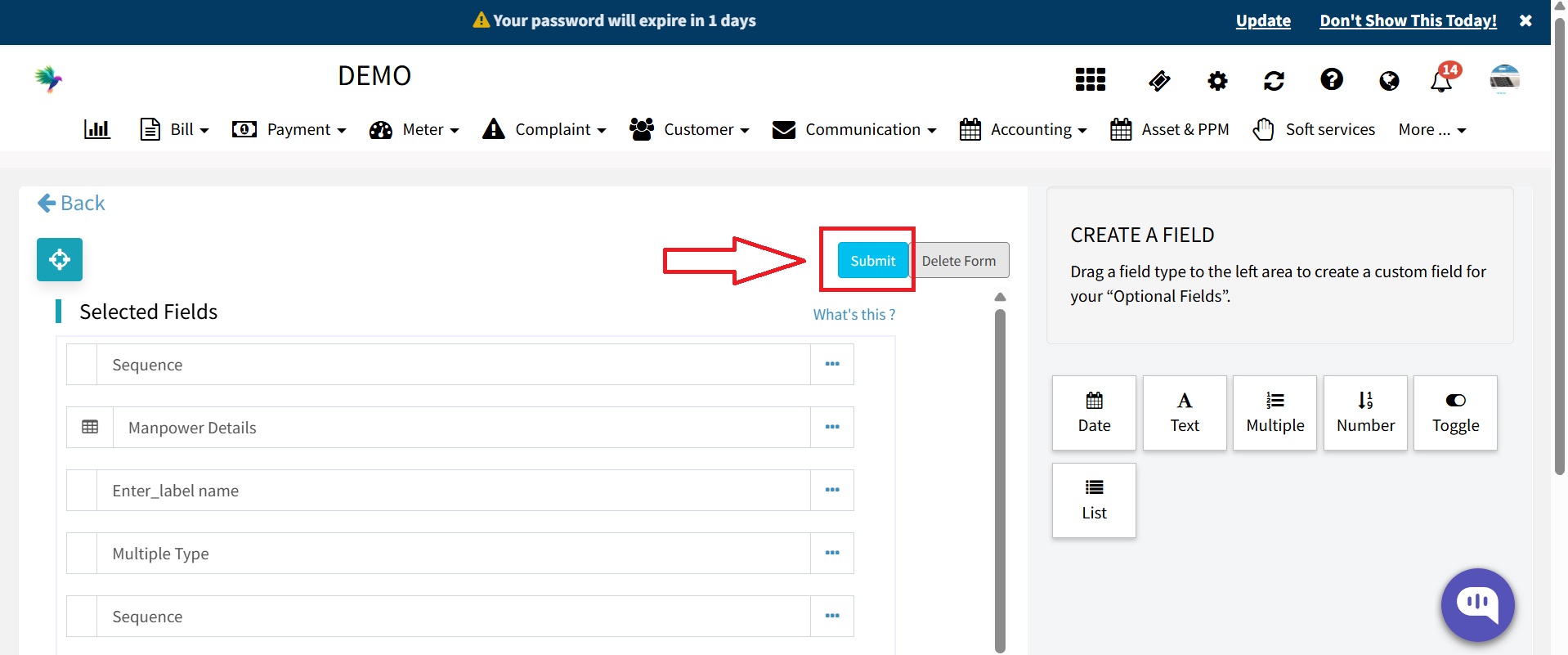
Click on the Submit button to save.

After saving, the newly added custom field will be visible in the Complaint → Job Card section.