
FAQ Tag: survey

How to use Feedback System and Complain Management(Open to all) with single QR Code?

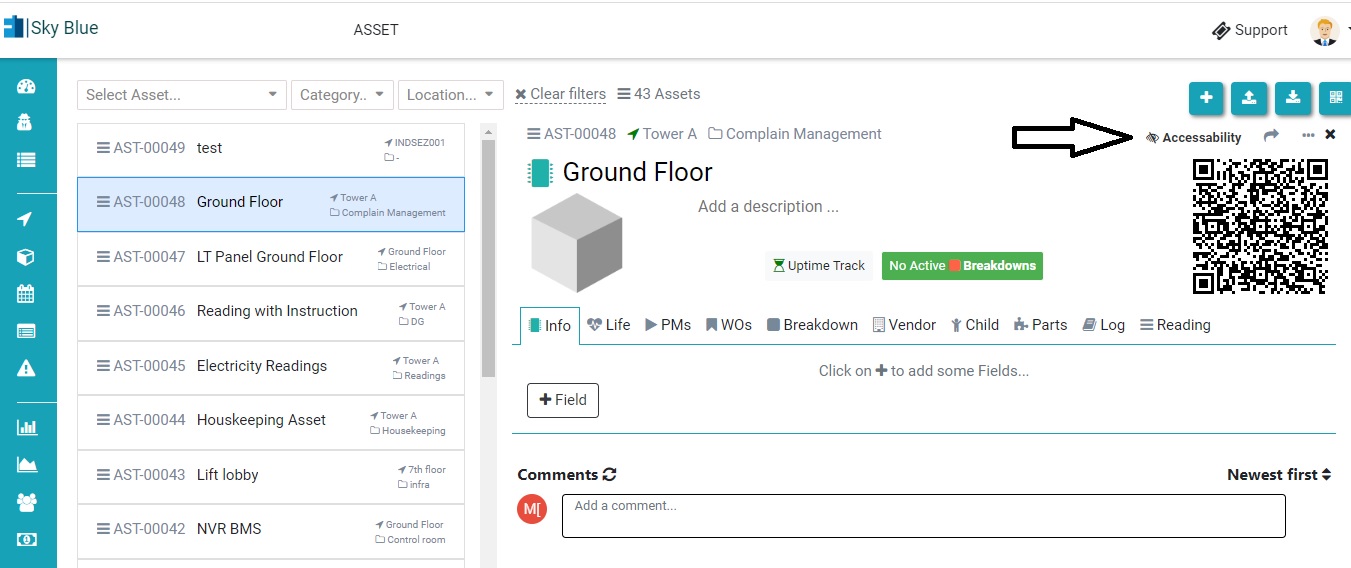
Now a user/client can raise a complaint without registering him/her in Factech software. An admin need to do some small configuration to activate this. Step 1. Add an Asset(or location) in Asset & PPM. Check the link below- How to add Asset- https://factech.co.in/blog/ufaqs/how-to-add-asset-manually-in-kaizen/ Step 2. Click on accessibility. Step 3. Give permission like Survey, complaint,
Read more

What is feedback system in Factech?

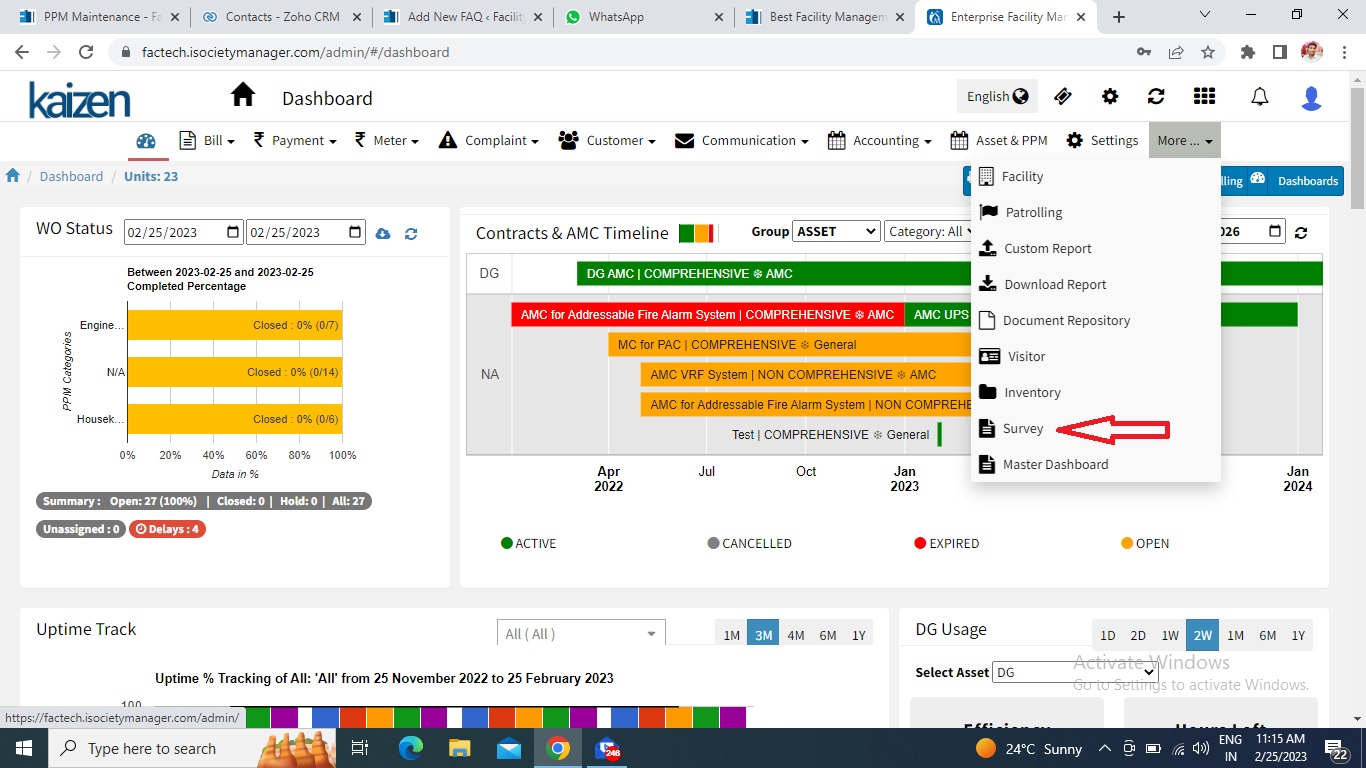
Now you can take the feedback from your client, customer, resident, tenant etc for any occasion celebration, or service through factech.co.in For this, you need to design a survey form as per your need. In this FAQ, we learn how to create a feedback QR code. Step 1. Login to factech.co.in Step 2. Click on

Read more

How to view Survey Response?

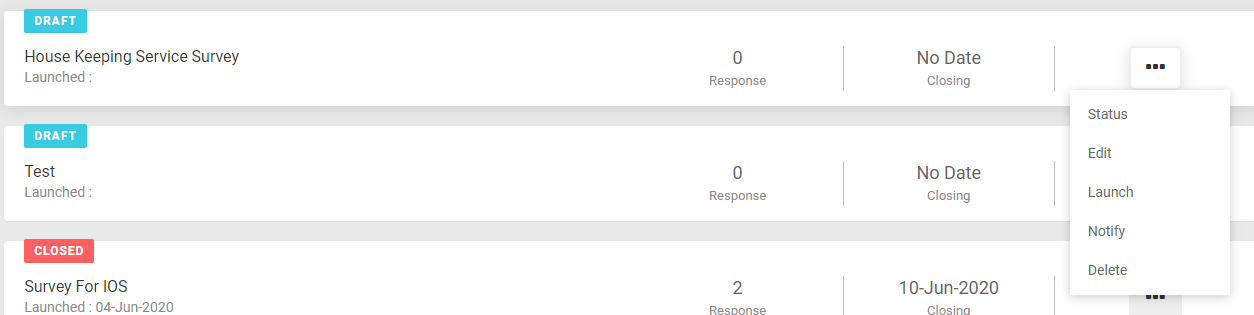
In Survey Dashboard page, you see a list of all Surveys. To view the response of any Survey select Status from Survey sub-menu On click of Status, you can see the Survey response summary. You can view the details question wise by expanding at the question level. Export Survey Report You can export Survey response

Read more

What is Survey or Polling?

Survey can be used in many ways like : Take the opinion of our customers. Example Do you want the Club to be opened between 12 to 4 pm? Collect information like Share your tenant details etc. Take feedback from Customers, for example – Customer Satisfaction Survey of Housekeeping, Security, etc. How to Launch Survey

Read more