FAQ Tag: Add service purchase request

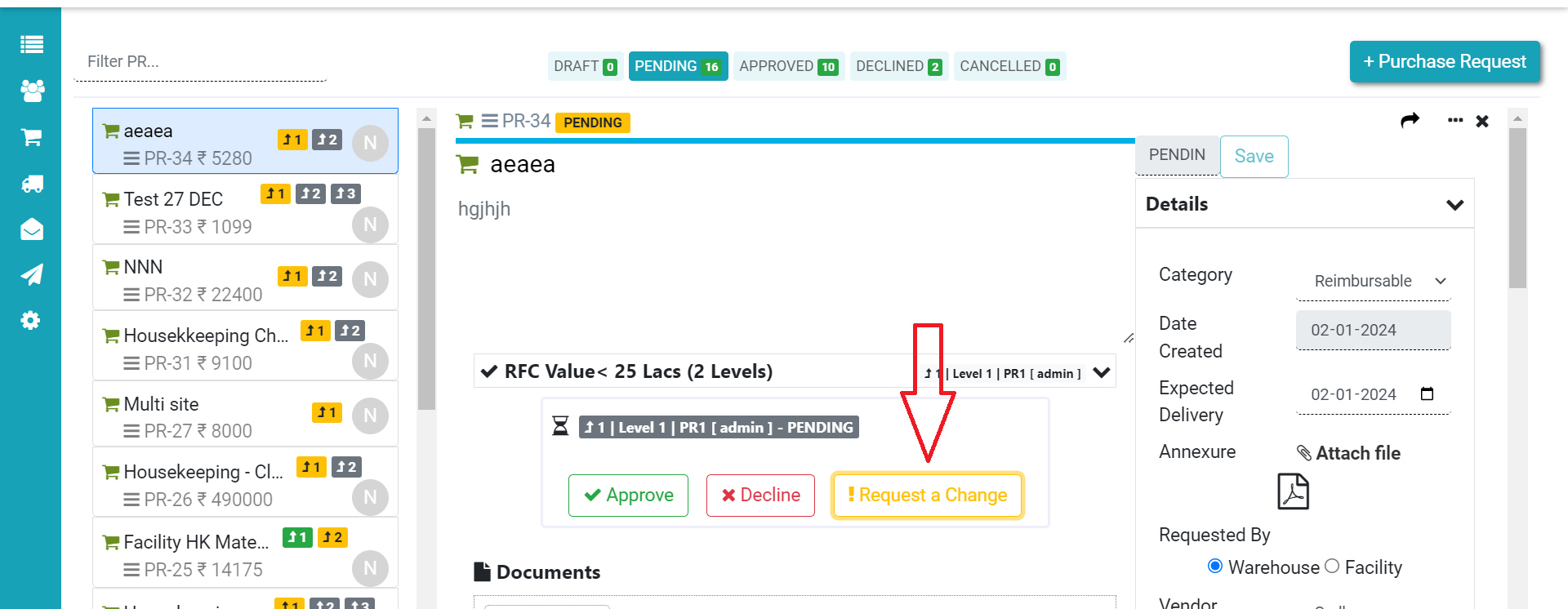
How to raise a request for change in PO/ PR?

Step 1. Start by clicking “Request a change” for any changes you need in the PO/PR Step 2. Next, write down the changes you want. If you’re asking someone who didn’t create it to make the changes, tick the “Choose a non-creator for the purchase change request” box before hitting “Submit.” After you submit, the
Read more

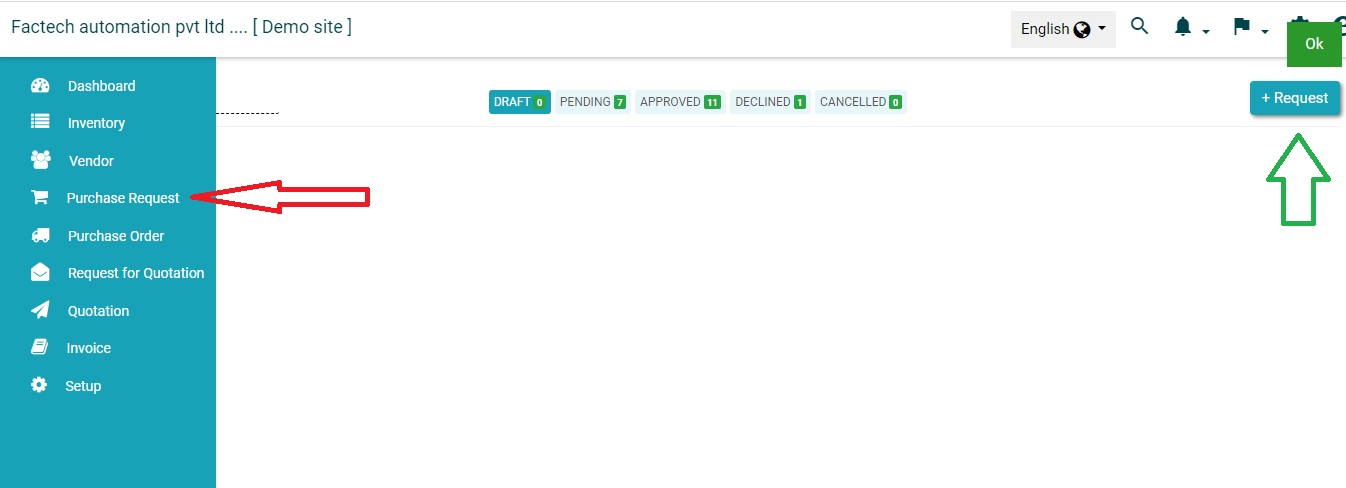
How to add new Purchase Request?

Login in https://factech.co.in with credentials and click on Purchase Menu ( Refer More menu if not visible in main Menu) Step 1- Click on the purchase request and then click on “+Request”. (Refer Screenshot)   Step 2- Fill the all the basic details like item name, quantity, etc. And then click on the save option. 

Read more