How to Disable a Staff in Factech?
Factech allows administrators to terminate staff access when an employee leaves the site or organization.
Important Note:
Factech does not allow deletion of staff records to ensure system history, reports, and audit trails are maintained. Instead, staff access is restricted by terminating the staff profile.
Steps to Terminate a Staff Member
Log in to the Factech application (Only users with Admin edit access can terminate staff)
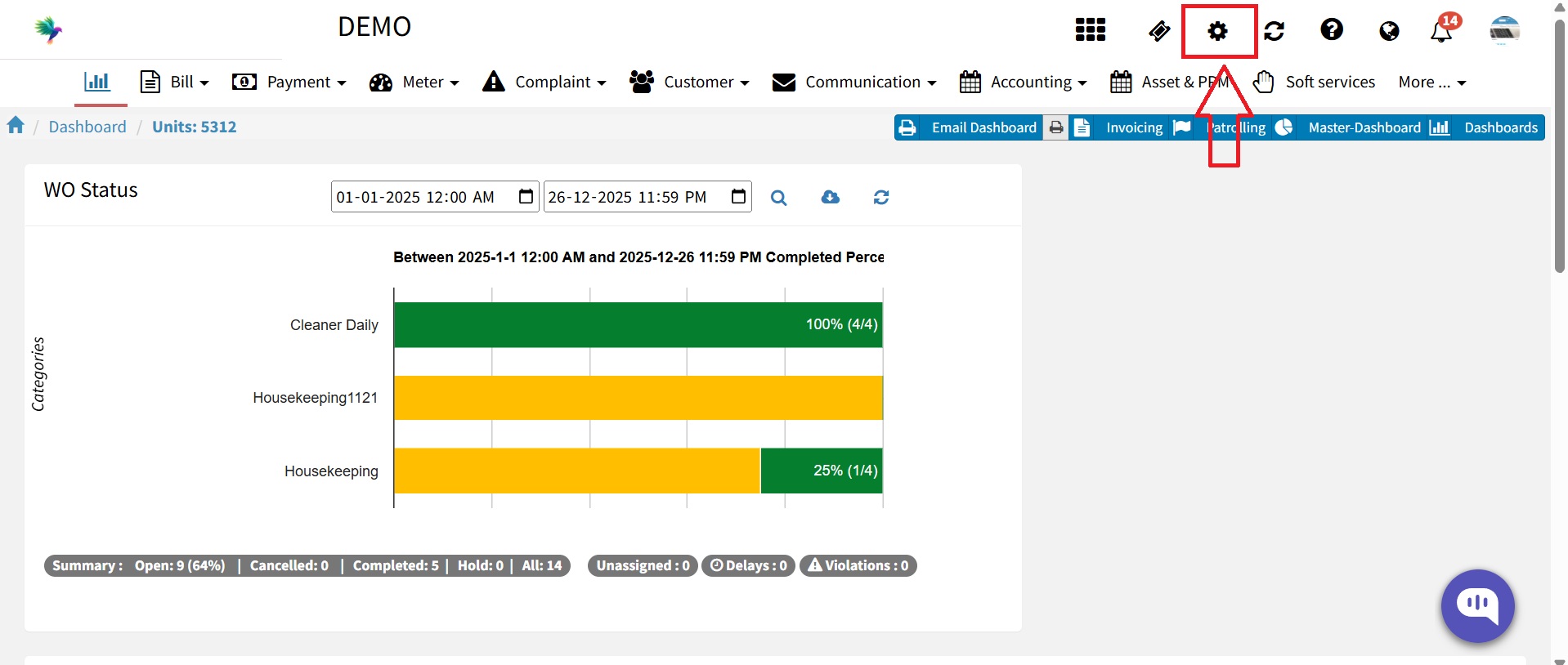
Click on the Settings icon.

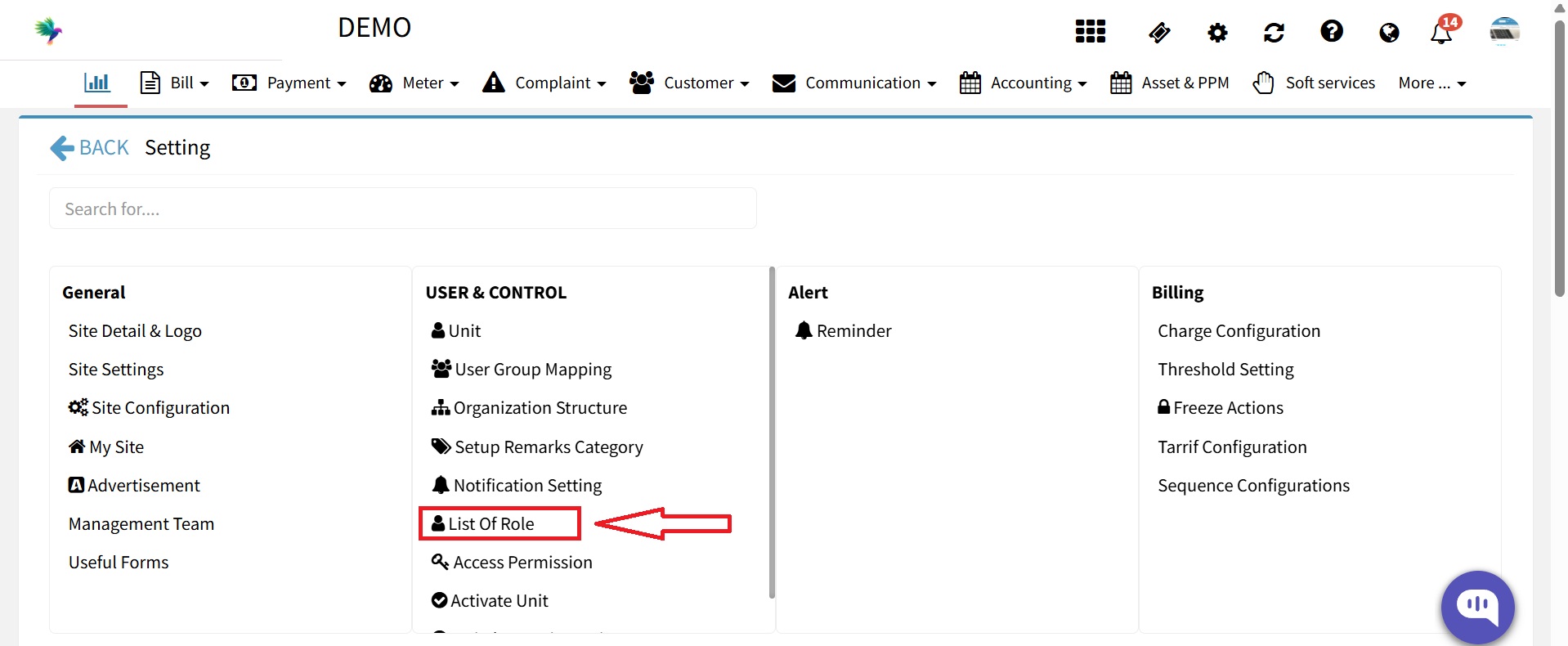
Select List of Roles.

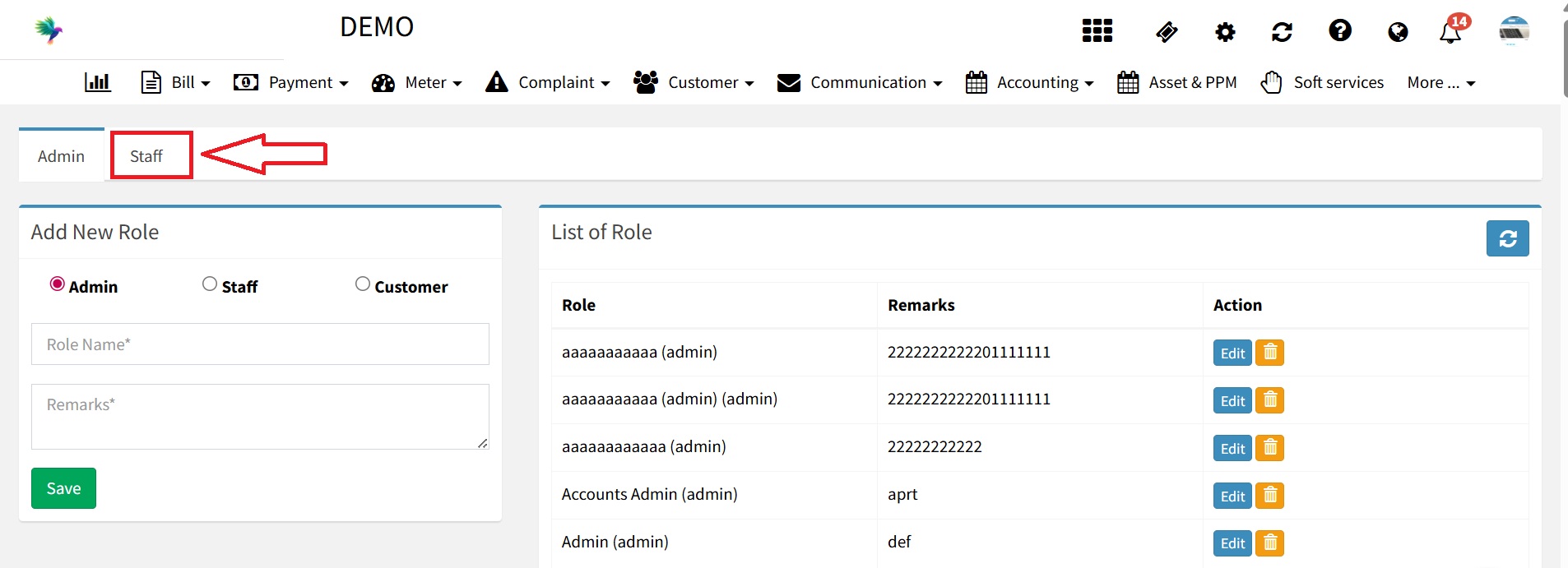
Click on the staff.

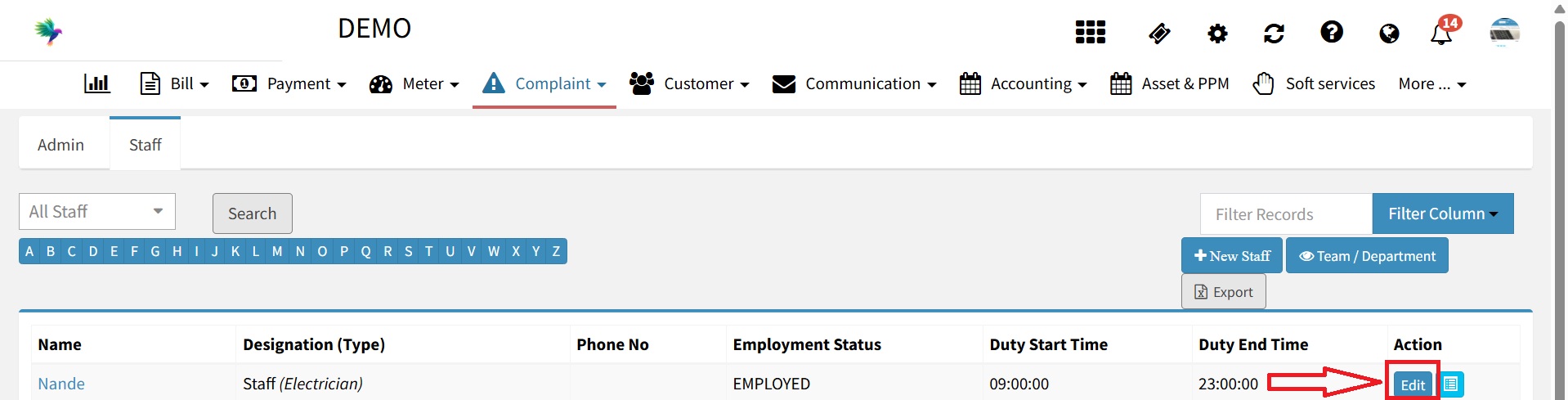
Click on the name (Edit button) you want to terminate.

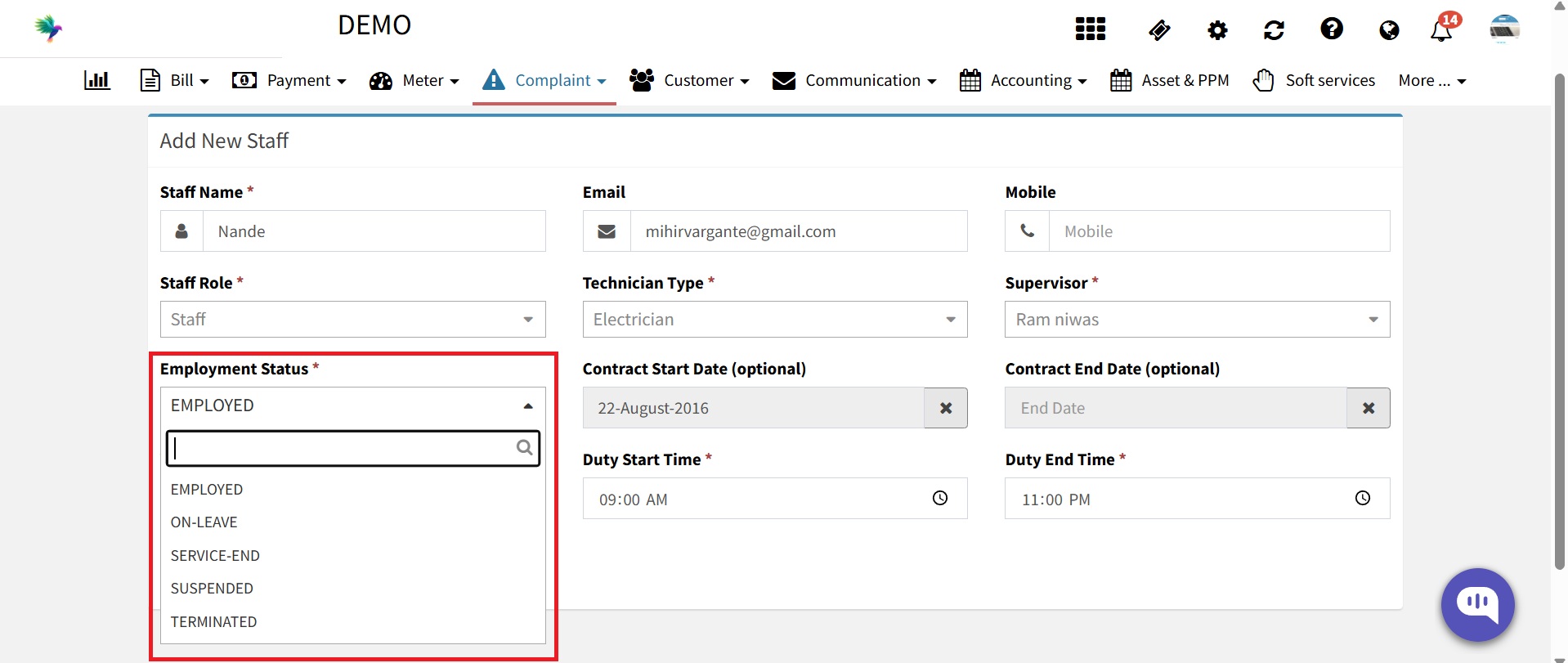
From the Status dropdown, select Terminated.

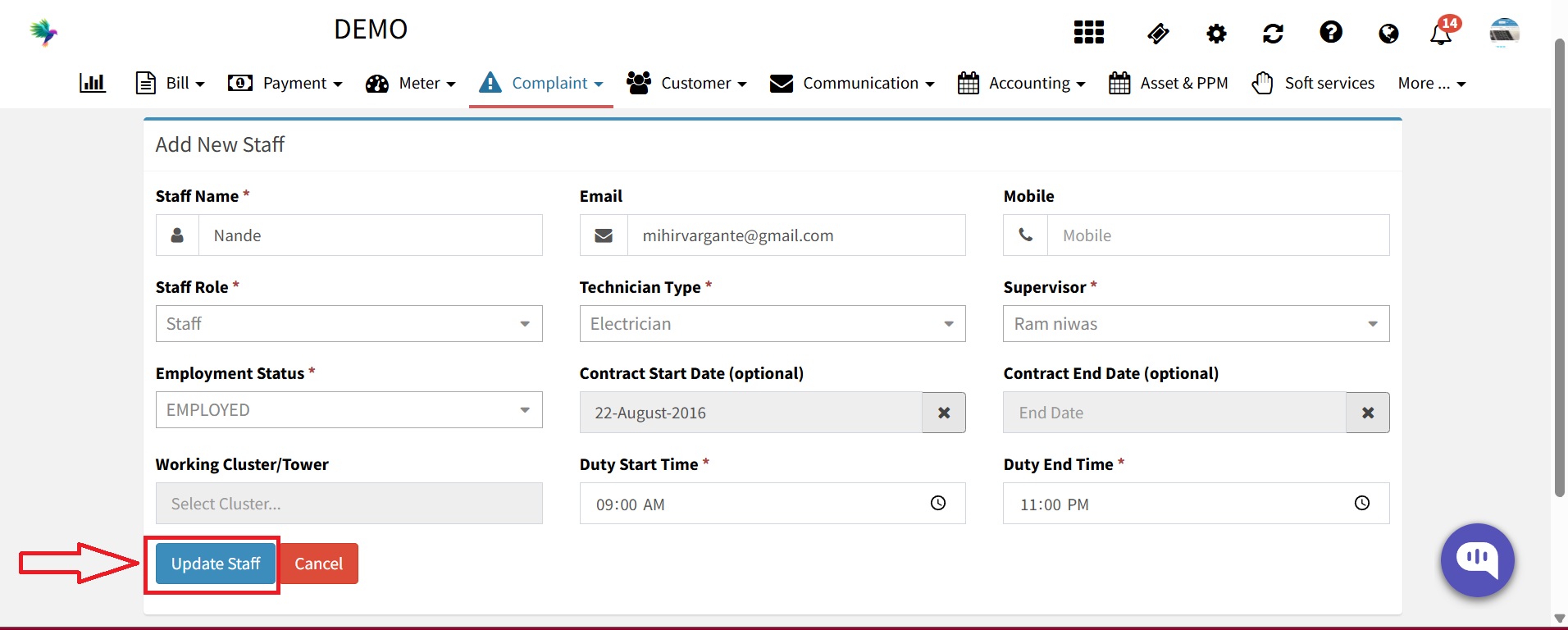
Click on Update Staff.

The staff member will no longer be able to log in to Factech.
All historical data related to the staff remains safe and intact.
Ready to Transform Your Facility Management?
See how Factech automates maintenance, assets, and compliance in one intelligent platform.
Let's Talk
Have questions about our AI-powered solutions? Our team is here to help you digitize your facility operations.
Ready to Transform Your Facility Management?
See how Factech automates maintenance, assets, and compliance in one intelligent platform.
Let's Talk
Have questions about our AI-powered solutions? Our team is here to help you digitize your facility operations.