How to Enable Geo-Fencing for Checklists and Attendance??
Overview
FacTech has introduced a Geo-Fencing feature that allows site locations to be mapped within the system. With this feature enabled, ground staff can mark attendance and fill checklists only when they are physically present within the defined site location.
The location range (radius) can be configured by the concerned authority based on site requirements. Once enabled, this ensures better compliance, accuracy, and transparency in on-ground operations.
Please follow the steps below to enable the Geo-Fencing feature.
Step 1
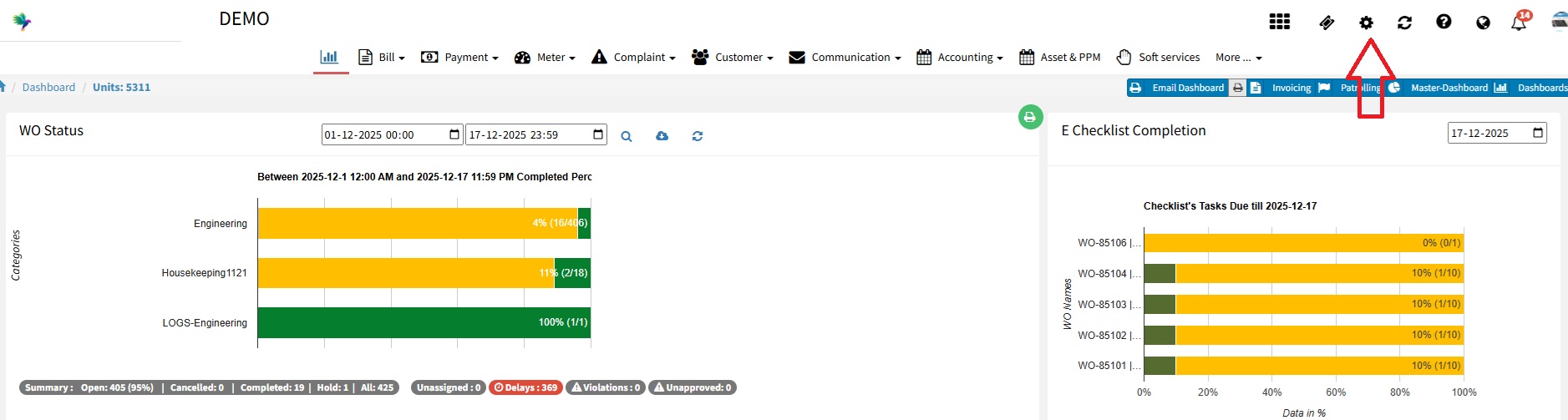
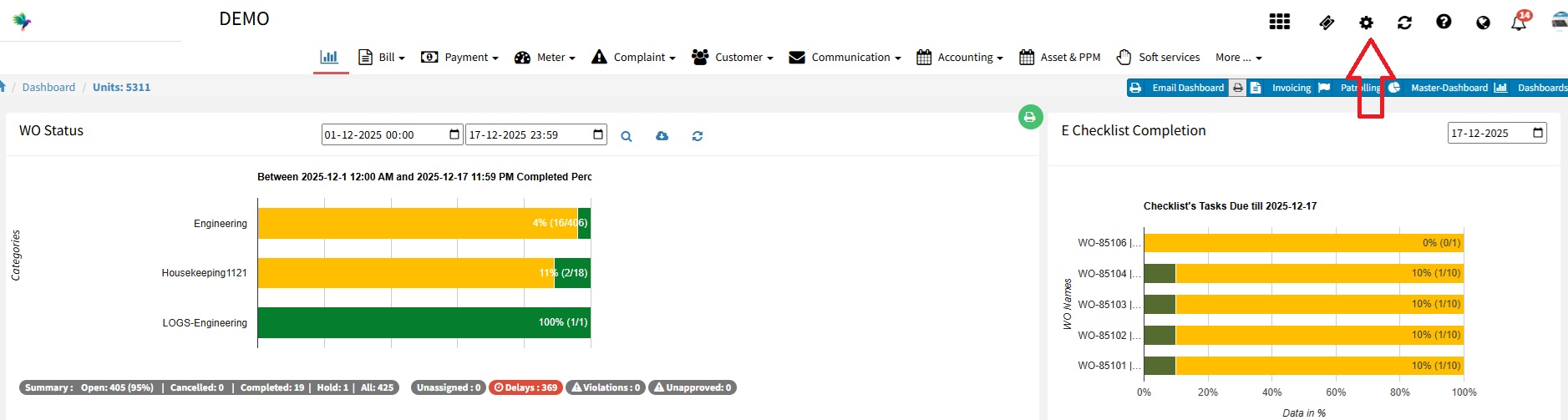
Log in to https://factech.ai/ as an admin and click on setting option.
Step 2
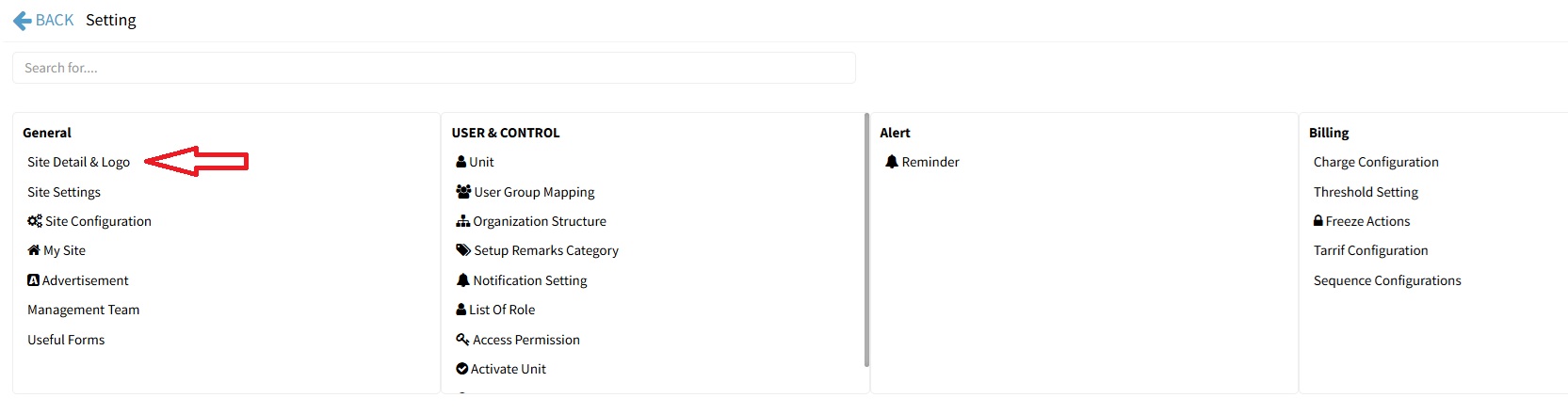
Click on ” Site Detail & Logo”.
Step 3
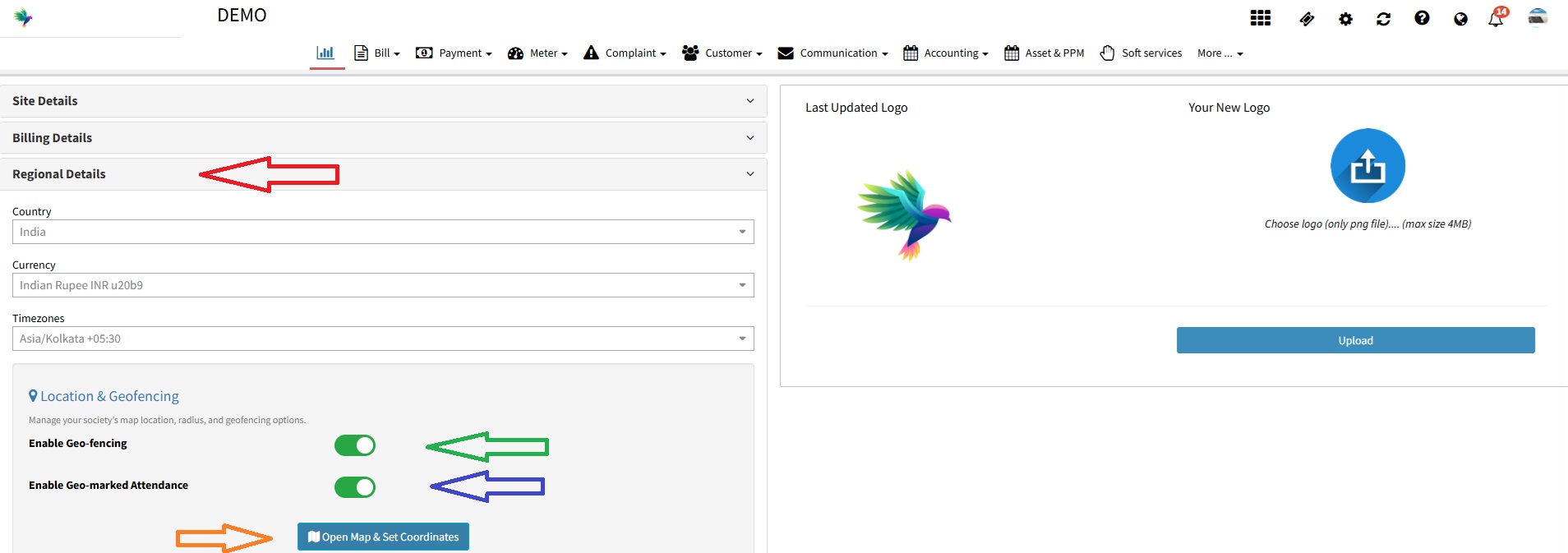
Click on Regional Details and enable “Enable Geo-fencing” for checklists and “Enable Geo-marked Attendance” for daily attendance.
Step 4
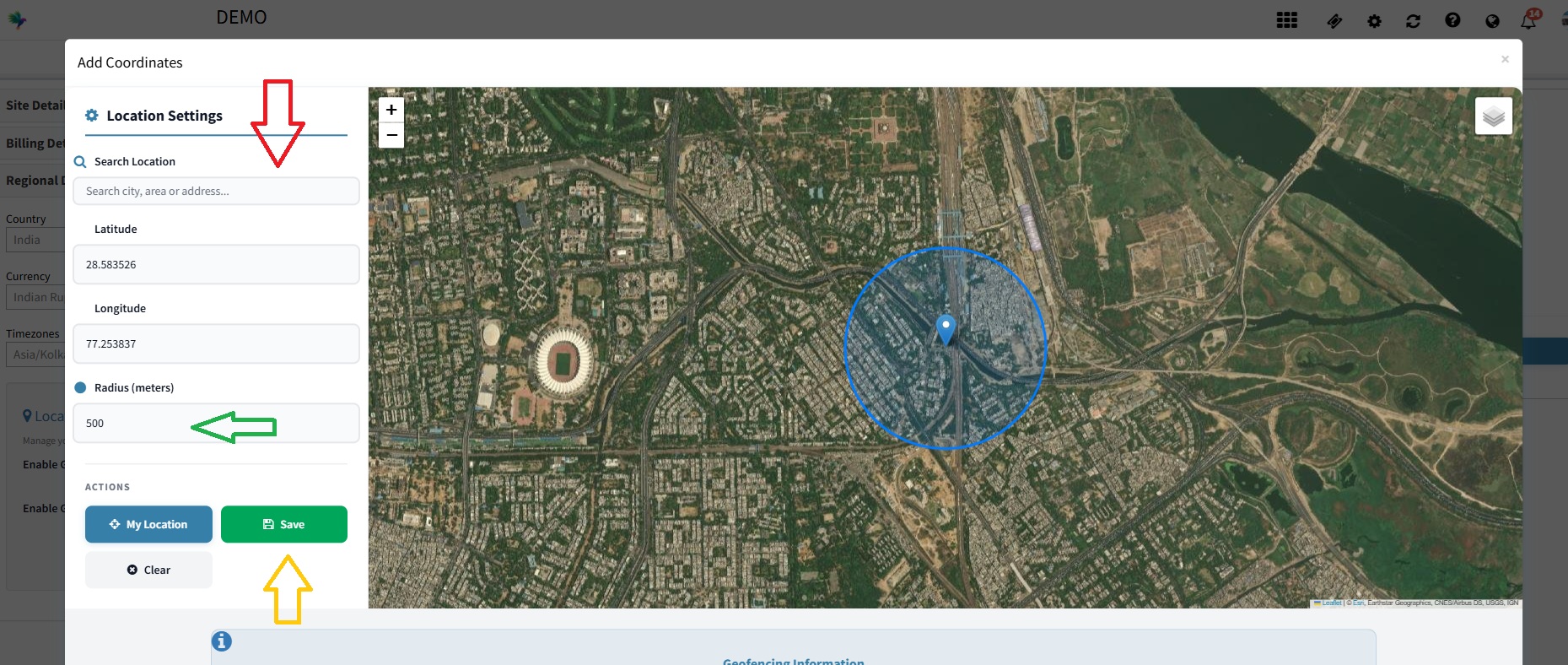
Click on “Open Map & Set Coordinated and add your Location and Range.
Conclusion
You have now successfully enabled the Geo-Fencing feature. Ground staff who are outside the defined location range will not be able to fill checklists or mark attendance. This ensures that all activities are performed only when the staff is physically present at the site.
Thank You !!
Ready to Transform Your Facility Management?
See how Factech automates maintenance, assets, and compliance in one intelligent platform.
Let's Talk
Have questions about our AI-powered solutions? Our team is here to help you digitize your facility operations.
Ready to Transform Your Facility Management?
See how Factech automates maintenance, assets, and compliance in one intelligent platform.
Let's Talk
Have questions about our AI-powered solutions? Our team is here to help you digitize your facility operations.