FAQ Tag: update PPM calendar schedule

How to export the monthly PPM Calendar in pdf format

In the FacTech system, we can export the month-wise PPM calendar in PDF format. To download that we have to follow these steps:     Step 1: Log in to the FacTech, then choose the Asset & PPM tab. On the Asset & PPM page, click on the ‘PM Schedule’ option and then select ‘Calendar’.
Read more

How to update date, time of PPM or Housekeeping Schedule?

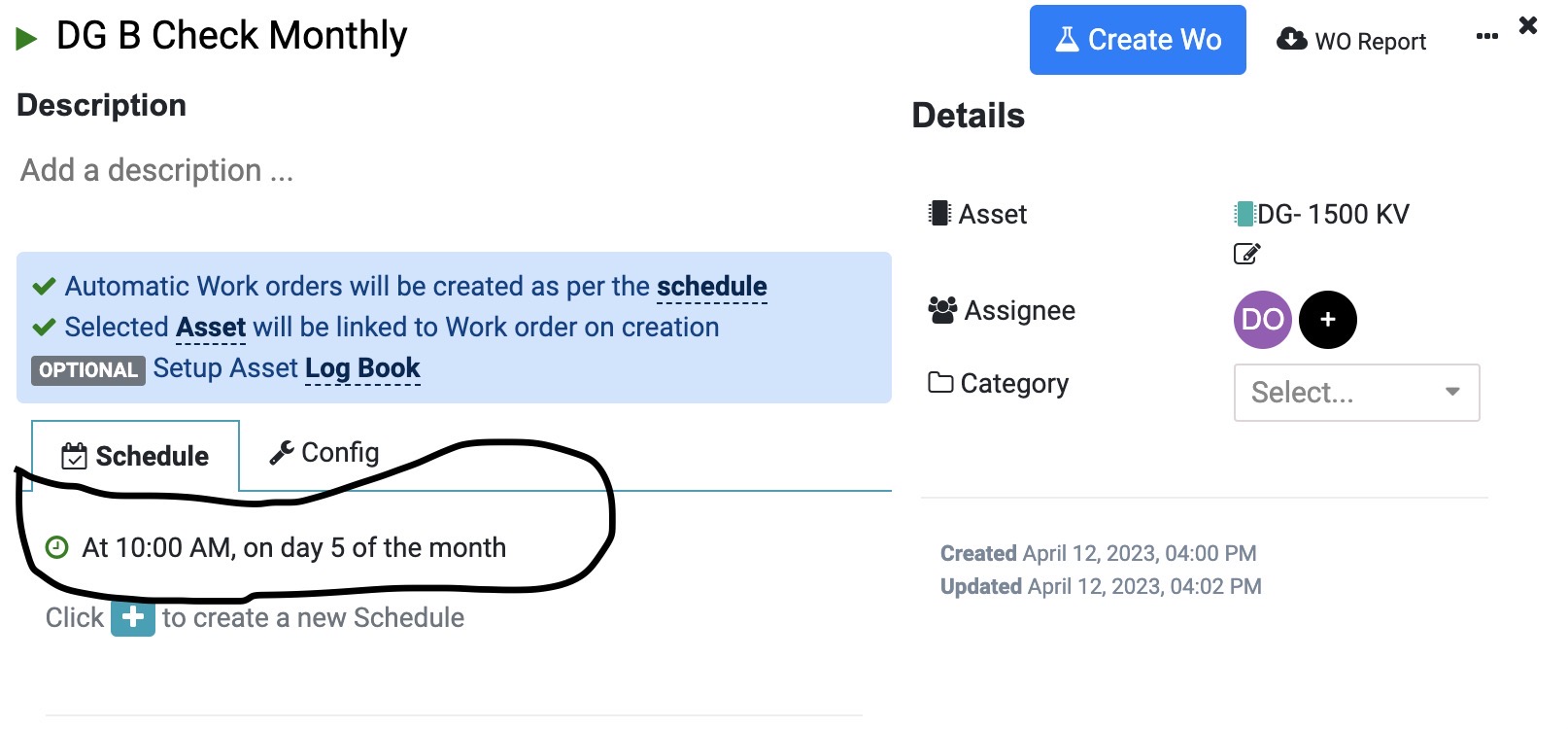
In Factech FM system, the Work Orders are created as per the date and time specified against the PM schedule. Like in below screen DG B Check – Work Order will be created at 10 am on 5th day of every month. Ideal practice is to schedule PPM scattered across different days of the month.

Read more