FAQ Tag: making debit notes

How to make Debit/Credit Entry in bulk through excel?

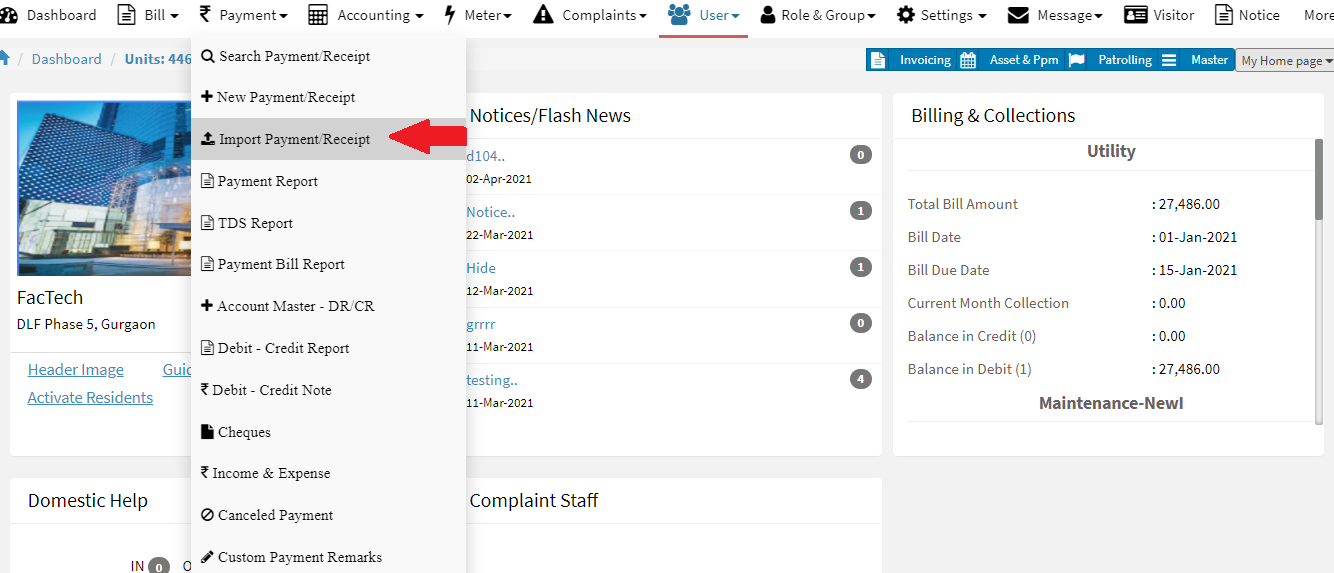
iSocietyManager help you import Debit and credit note in bulk. This will help to save you a lots of time. Following steps to import Debit and credit note. Step 1: Go to  Main Menu (Payment), Select “Import Payment Receipt” option from drop down menu Step 2: Click on “Download Template“. Step 4: Once excel file
Read more

How to make Debit Entry?

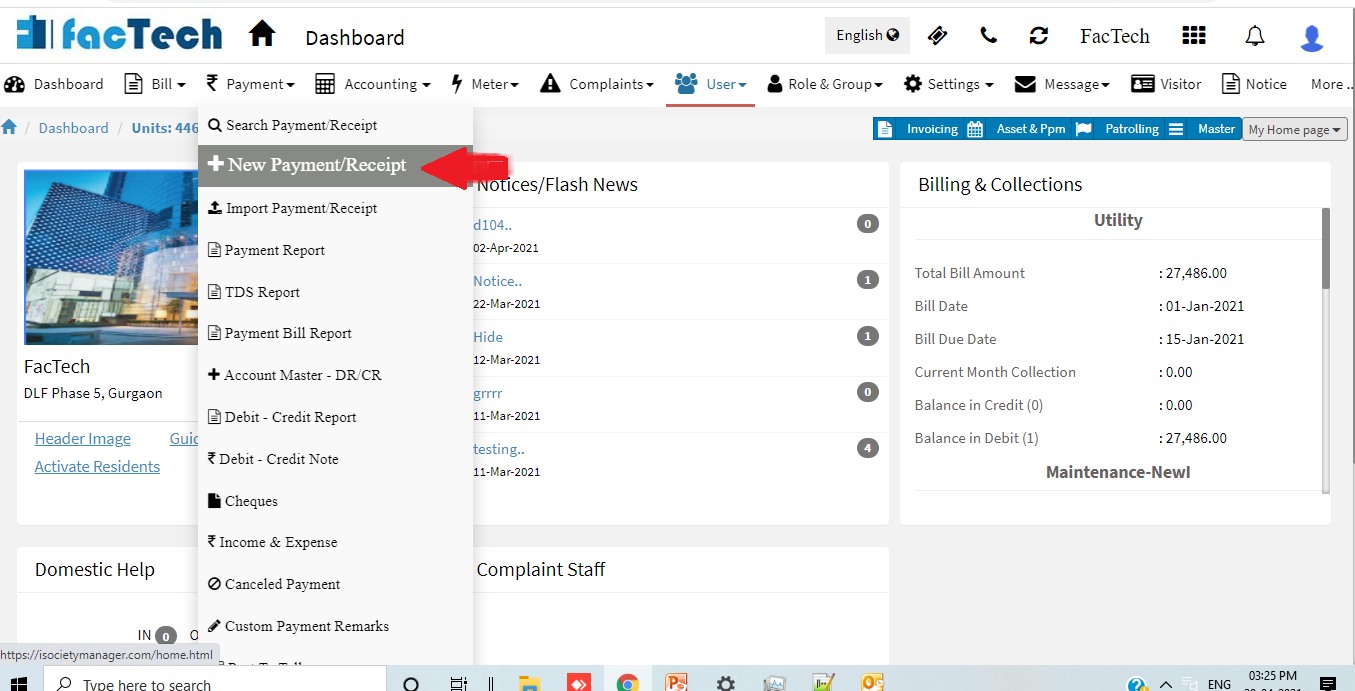
iSocietyManager has the functionality to make Debit Entry. Let us see how to make credit entry using the following process :- Go to Payment Menu then click on + New Payment/Receipt. Now click on Debit Entry tab. Now Select the Bill Plan for which you want to make Debit entry. Now Enter the Unit No for which you want

Read more